
Home / BIM Services / Architectural BIM
Visualization & Rendering
Photorealistic renders and walkthroughs from your BIM model.
Since 2006
Delivering BIM and VDC
900+
Projects delivered
ISO 9001
Certified quality system
OVERVIEW
Show the Design Before It Is Built
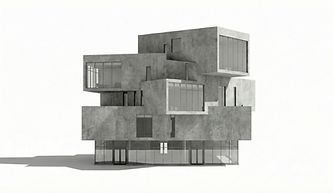
We create photorealistic renders and walkthroughs from your BIM model, so clients, buyers and approving bodies see exactly what is planned.
What we produce:
Still renders: exterior and interior views
Walkthroughs and flythroughs
Visuals for approvals, marketing and sales

DELIVERABLES
What you get
Every engagement comes with clear, usable deliverables:
01
Exterior and interior renders
02
Aerial and street-level views
03
Animated walkthroughs
04
Material and lighting options
05
Images sized for print and web
06
Updates as the design changes
PROCESS
How we work
A clear five-step workflow:
1
2
3
4
5
Brief
Views, mood and materials
Prepare
Clean the model and set cameras
Render
Draft views for comment
Refine
Materials, lighting and entourage
Deliver
Final images and videos

PROVEN ON SITE
Why MANSYCOM
Since 2006, MANSYCOM has delivered BIM on airports, metro systems, campuses and towers up to 2M sq ft, for clients including L&T, Tata Projects and Kalpataru.
Our process follows PAS 1192, COBie and IFC, so visualization & rendering fits into the wider project from day one, not as a separate deliverable.
TOOLS & STANDARDS
Tools & standards
We work to open standards and your BIM Execution Plan:
Inputs
Revit, SketchUp or CAD models and material boards
Outputs
high-resolution images and MP4 walkthroughs
Standards
your brand and presentation guidelines
Updates
re-rendered from the latest model
SECTORS
Where we use it
Where this service makes the biggest difference:


Residential and commercial developments
Hotels and hospitality
Public projects needing approvals
Campuses and institutional buildings
ENGAGEMENT
Ways to work with us
Start small and scale up. Choose the engagement that fits your project and your team:
OPTION 1
Single view
One render to test our quality
OPTION 2
Render package
A set of views and a walkthrough
OPTION 3
Ongoing support
Visuals at each design stage
FAQ
Frequently asked questions
Answers to the questions project teams ask us most often:
Do we need a model?
A model is best; we can also build one from drawings.
How many revisions?
We agree revision rounds before we start.
Can you produce walkthrough videos?
Yes.
Can renders update as the design changes?
Yes. Because they come from the model, updates are quicker.
