top of page
Cable-Stayed Bridge

4D BIM Scheduling

Rehearse the Build Before You Start

Building Wireframe Design
Engineer Reviewing Blueprint

We link your model to your Primavera P6 or MS Project schedule, so the build plays out week by week and sequence problems show up before the field.


4D helps teams:

  • Check sequence: logic gaps and clashing activities

  • Plan logistics: cranes, access and laydown by phase

  • Communicate: clear visuals for owners and site teams

Proven on IIT Tirupati
Kalpataru Projects International, IIT Tirupati: 4D and 5D simulation, March to October 2022. "They have provided us 4D and 5D simulation implementation from Mar 2022 to Oct 2022 in IIT Tirupati Project."

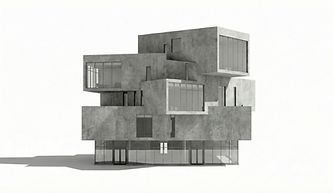
Modern Concrete Building

What You Get

Futuristic Concrete Building

Every engagement comes with clear, usable deliverables:

  • 4D simulation linked to your schedule

  • Phasing and logistics models

  • Schedule logic check report

  • Simulation videos for stakeholders

  • Planned vs actual progress views

  • Updates for each schedule revision

How We Work

A clear five-step workflow:

  • 1. Intake: model and schedule (P6 or MSP)

  • 2. Prepare: split and tag model elements by activity

  • 3. Link: build the 4D sequence

  • 4. Review: walk through with your planners

  • 5. Update: refresh with each schedule revision

Cleaning Building Windows

Tools & Standards

Team Planning Session

We work to open standards and your BIM Execution Plan:

  • Software: Autodesk Navisworks, Primavera P6 and MS Project

  • Inputs: RVT or IFC model and XER or MPP schedule

  • Outputs: Navisworks files and MP4 simulations

  • Standards: ISO 19650 and your BEP

Where We Use It

Where this service makes the biggest difference:

  • Phased and occupied sites

  • Tight urban sites

  • Campuses and multi-building programmes

  • Infrastructure and linear works

Virtual Reality Experience

Ways to Work With Us

Team Training Session

Start small and scale up. Choose the engagement that fits your project and your team:

  • Sample 4D run: one building or phase simulated

  • Project 4D: full simulation with regular updates

  • Planner support: BIM planners with your planning team

Frequently Asked Questions

Answers to the questions project teams ask us most often:

  • Which schedule formats? Primavera P6 (XER) and Microsoft Project (MPP).

  • Do we need a detailed model? Enough detail to match your schedule activities.

  • How often do you update? With each schedule revision or monthly.

  • Can 4D show progress? Yes, planned vs actual on the model.

Job interview
bottom of page